If you are a web developer or technical lead in India, you have likely felt the pinch of a traditional CMS. You build a beautiful front end, only to have the backend dictate how your content looks and behaves. The template system feels rigid. The editor preview does not match the live site. And every time your client asks for a new feature on a different platform, you have to rebuild parts of the backend. This friction slows you down. It also limits what you can build. A headless CMS workflow flips that model. It separates content management from presentation, giving you full control over the front end. You choose your framework, your hosting, and your delivery pipeline. The result is a faster, more flexible development cycle.
A headless CMS workflow decouples the content backend from the front-end layer, giving developers freedom to use any framework, deploy across multiple channels, and iterate without touching the CMS. For Indian teams, this means faster project delivery, better mobile performance, and easier scaling for regional languages and OTT platforms.
What Makes a Headless CMS Workflow Different
A traditional CMS like WordPress or Drupal bundles the content database, the admin interface, and the rendering engine into one system. When a request comes in, the server builds the HTML page by pulling content from the database and applying a theme. This works well for simple sites, but it creates tight coupling. If you want to use React for the front end, you need to hack around the theme system. If you want to serve content to a mobile app, you might need a separate plugin or API layer.
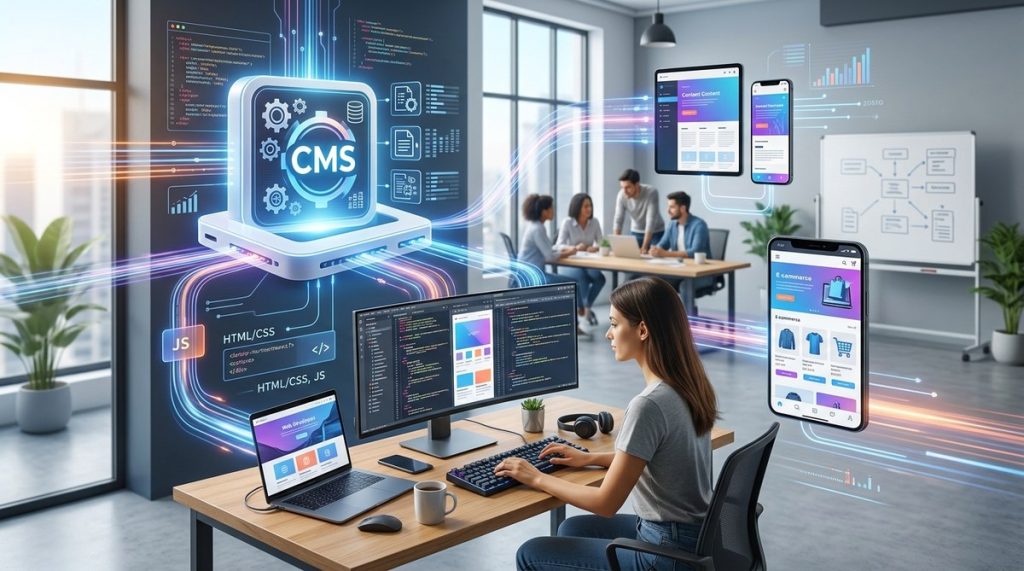
A headless CMS removes the rendering engine entirely. It keeps the content database and the admin dashboard, but serves content through a RESTful or GraphQL API. Your front end, whether it is a Next.js site, a React Native app, or a smart display, fetches content from that API and renders it independently. This separation is the core of a headless CMS workflow.
For Indian developers, this approach solves several common pain points. You can build a single content hub that feeds your main website, your Hindi-language microsite, your Android app, and your voice skill for Alexa. Each channel gets the content it needs, formatted the way it wants.
How the Headless CMS Workflow Changes Your Day
Switching to a headless CMS workflow does not just change the architecture. It changes the way you plan, build, and deploy features. Here is a breakdown of the practical differences.
Planning Phase
In a traditional setup, you often start with the CMS. You choose a theme, install plugins, and then build pages inside the editor. With a headless CMS, you plan the content model first. You define content types, fields, and relationships in the CMS. Separately, you plan the front-end components that will consume that content. This parallel planning reduces dependencies between backend and front-end teams.
Development Phase
Your front-end team can build and test components using mock data or local API responses. They do not need a running CMS instance. Your content team can start entering data into the headless CMS at the same time. When the front end is ready, you connect it to the live API. This parallel workflow cuts development time by weeks on larger projects.
Deployment Phase
You deploy the front end and the backend independently. Push a new feature to your React app without touching the CMS. Update a content field in the CMS without redeploying the site. This decoupling means less risk and faster rollouts.
Real World Example from an Indian Startup
Consider a Bengaluru-based edtech company that needed to launch a learning platform across web, mobile, and WhatsApp. Their old WordPress setup could not handle the variety of output formats. They moved to a headless CMS workflow using Strapi for the backend and Next.js for the web front end. The mobile team built a React Native app that pulled content from the same API. The WhatsApp bot used the API for course updates. The migration took six weeks, but subsequent feature releases went from two weeks to two days.
A Step by Step Guide to Setting Up a Headless CMS Workflow
If you are ready to try this approach, follow these steps. They apply whether you choose a SaaS solution like Contentful or Sanity, or an open source option like Strapi or Directus.
-
Define your content model. List every content type you need: blog posts, product pages, author profiles, FAQs, etc. For each type, define fields, data types, and relationships. Keep it lean. You can always add fields later.
-
Set up the headless CMS. Install or sign up for your chosen platform. Configure user roles, API keys, and webhooks. Create your content types based on the model from step one.
-
Build your front end. Choose a framework that matches your team’s strengths. Popular choices in India include Next.js for web, React Native for mobile, and Nuxt.js for Vue developers. Build components that fetch data from the CMS API.
-
Implement content preview. Use the CMS preview feature or build a custom preview route. This lets editors see how content looks before publishing. Without preview, your editors will struggle to trust the system.
-
Set up a CI/CD pipeline. Automate builds and deployments. When you push code to your repository, the front end rebuilds and deploys. When editors publish content in the CMS, a webhook triggers a build to pull the latest content.
-
Test across channels. Verify that the same content renders correctly on web, mobile, and any other channel. Check for broken links, missing images, and formatting issues.
-
Monitor and iterate. Track API response times, build times, and error rates. Use caching strategies like CDN caching or server side rendering to keep performance high.
Expert advice: “Do not try to replicate your old CMS feature for feature. A headless CMS workflow is strongest when you embrace its strengths: content reuse, channel independence, and developer freedom. Drop the features that do not serve your core use case.” This comes from a lead architect at a Mumbai based agency that has migrated over 30 clients to headless setups.
Common Mistakes Teams Make When Adopting a Headless CMS Workflow
Even with the best intentions, teams run into traps. Here is a table that outlines three frequent mistakes and how to avoid them.
| Mistake | Why It Happens | How to Fix It |
|---|---|---|
| Overcomplicating the content model | Teams try to model every possible future use case upfront. This leads to bloated APIs and slow editor interfaces. | Start with three to five core content types. Add fields only when a channel genuinely needs them. |
| Skipping the preview system | Developers focus on the API and forget that editors need to see their work. Without preview, editors lose confidence. | Build a simple preview route that fetches draft content from the API. Even a basic version improves trust. |
| Ignoring caching strategy | Every page request hits the CMS API directly. This increases load and slows response times. | Use a CDN with cache headers. Implement Incremental Static Regeneration (ISR) in Next.js or similar in other frameworks. |
Why Your Development Team in India Should Care
India’s digital landscape is diverse. Users access content through mobile browsers, apps, OTT platforms, and voice assistants. A headless CMS workflow lets you serve all these channels from one content hub. Your team does not need to maintain separate databases or admin panels for each platform.
Additionally, the Indian market demands performance. Mobile users expect pages to load in under three seconds. A headless setup lets you optimize the front end independently. You can serve static pages from a CDN, lazy load images, and defer JavaScript without touching the CMS backend.
For teams working with regional languages, a headless CMS workflow simplifies multi lingual content. You store translations as separate entries or fields in the API. Your front end picks the correct language based on the user’s locale. No more plugin hacks or duplicate sites.
If you are looking to further improve your development pipeline, check out these essential web development tools every startup should use. They pair well with a headless architecture.
Performance Gains You Can Measure
Adopting a headless CMS workflow is not just about developer happiness. It leads to measurable improvements.
-
Faster page loads. By decoupling the front end, you can serve static files from a CDN. A Bangalore based ecommerce store saw their Time to First Byte drop from 1.8 seconds to 400 milliseconds after moving to a headless setup with Next.js and Strapi.
-
Higher deployment frequency. Teams release features more often because front-end changes do not require backend updates. One Pune based SaaS company went from monthly releases to weekly releases within two months of switching.
-
Better uptime. If the CMS API goes down, your cached front end still serves content. Users do not see a white screen. This is a lifesaver during traffic spikes.
-
Lower server costs. You can host the front end on a static CDN and the CMS on a small server. Compare that to a traditional CMS where every request hits a server running PHP or Ruby.
For more ways to boost performance, read this guide on boost your website performance with these proven development strategies.
When a Headless CMS Workflow Might Not Be Right
No architecture is perfect. A headless CMS workflow adds complexity. You need to manage two systems instead of one. The initial setup takes more planning. Small teams with simple websites, like a five page brochure site for a local restaurant, might find a traditional CMS faster and cheaper.
You also need developers who are comfortable with modern front-end frameworks. If your team is used to editing templates inside WordPress, they will face a learning curve. Budget for training time and tooling.
That said, for most web development projects in India, the benefits outweigh the costs. If you are building anything beyond a basic brochure site, the headless CMS workflow deserves a serious look. It is a good idea to also stay updated on the top web development trends to boost your business in 2026 to see where the industry is heading.
Practical First Steps for Your Team
You do not need to migrate everything at once. Start small.
Pick one project. It could be a new microsite, a mobile app, or a blog section. Set up a headless CMS for that project alone. Use a framework your team already knows. Run it for a month. Measure the differences in development time, performance, and team satisfaction.
This low risk experiment will give you real data. You will discover what works for your team and what does not. From there, you can decide how deeply to adopt the headless CMS workflow across your organization.
If you want to learn more about building for multiple devices, take a look at mastering progressive web apps for seamless user experience. PWAs fit naturally with a headless CMS workflow because both prioritize the front end.
Making the Shift Work for Your Team
A headless CMS workflow is not just a technology change. It is a process change. Your content editors need to understand that they will use a new dashboard. Your developers need to adjust to a two tier deployment model. Your project managers need to plan parallel tracks for content and front-end work.
The teams that succeed are the ones that invest in communication. Hold a kickoff meeting where everyone understands the new workflow. Create documentation for editors. Set up a staging environment where content and code can be tested together before going live.
For a deeper look at how to refine your overall process, the article on enhance your web development workflow with these expert tips offers practical advice that complements the headless approach.
The Future of Web Development in India Points to Headless
By 2026, the separation of content and presentation is becoming the standard for new projects. Large Indian enterprises like Zomato, Swiggy, and Ola already use variations of this architecture. They do it because it scales. It lets them serve millions of users across different devices without rebuilding their content systems.
For smaller teams and agencies, the headless CMS workflow is an edge. It lets you deliver projects faster, with better performance, and with the ability to add new channels later. Your clients will appreciate the speed. Your developers will appreciate the freedom.
If you are evaluating frameworks to pair with your headless CMS, the guide on how to choose the right javascript framework for your startup in 2026 will help you make an informed decision.
What Your New Workflow Looks Like In Practice
Here is a summary of the components you will use in a typical headless CMS workflow.
- Content management layer. A headless CMS like Strapi, Contentful, or Sanity. This is where editors write and manage content.
- API layer. REST or GraphQL endpoints that deliver content to any front end.
- Front-end framework. Next.js, Nuxt.js, Gatsby, or a mobile framework like React Native.
- Hosting and CDN. Vercel, Netlify, or AWS for the front end. Cloudflare or Fastly for CDN.
- Build and deploy pipeline. GitHub Actions, GitLab CI, or Jenkins for automation.
Each layer is independent. You can swap any component without affecting the others. That is the power of decoupling.
If you are also interested in how this workflow impacts user experience on mobile, the guide on 7 best practices for optimizing web applications for Indian mobile users in 2026 is an excellent companion resource.
Own Your Development Pipeline Again
A headless CMS workflow puts you back in control. You stop fighting against a monolithic system and start building the exact experience your users need. Your content team gets a clean interface. Your front-end team gets freedom. Your users get faster, better looking sites.
The shift takes effort, but the payoff is real. Start with one project. Learn the workflow. Then let the results speak for themselves. Your team will wonder why you did not switch sooner.