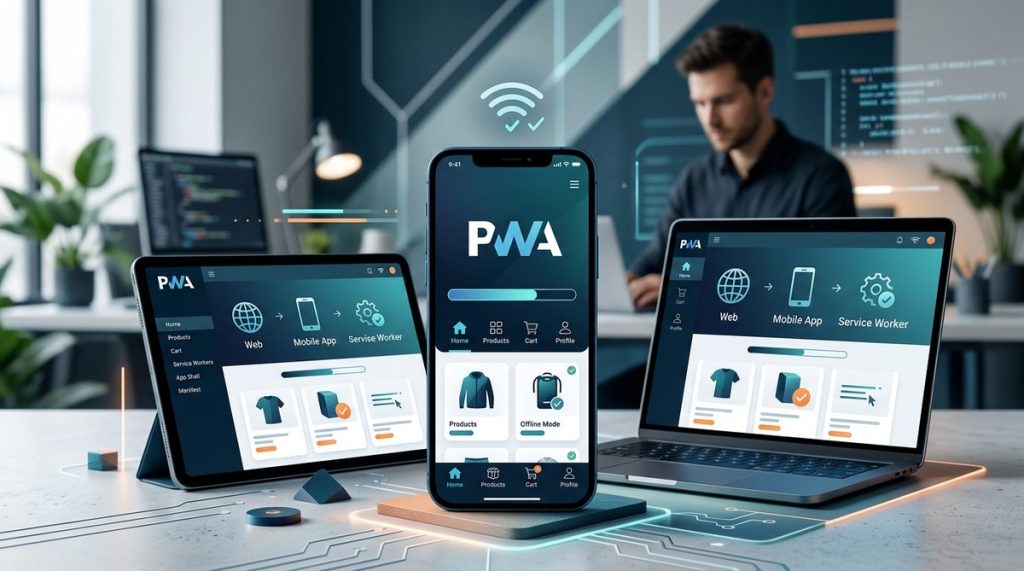
Web development has seen many shifts over the years, but none as impactful as the rise of progressive web apps. These innovative tools combine the best of websites and native apps to offer users a smooth, fast, and engaging experience. Whether you are a developer, designer, or tech enthusiast, understanding how to harness the power of PWAs can dramatically improve how users interact with your digital offerings. Their ability to work offline, load quickly, and feel like a native app makes them a game-changer in today’s competitive landscape.
Progressive web apps offer a reliable, fast, and engaging user experience by combining web accessibility with app-like features. They boost user satisfaction and business growth, making them a must-have in modern web strategies.
What are progressive web apps and why do they matter
Progressive web apps are web-based applications built with modern technologies that deliver an experience similar to native mobile apps. Unlike traditional websites, PWAs are designed to work flawlessly across all devices and network conditions. They use features like service workers, web app manifests, and push notifications to enhance interactivity and performance.
The core features of PWAs
- Responsiveness: They adapt seamlessly to any screen size, whether it’s a desktop, tablet, or smartphone.
- Offline capability: Thanks to service workers, PWAs can cache essential resources, allowing users to continue browsing even without an internet connection.
- App-like experience: They can be installed on a user’s device, launching from the home screen and providing full-screen immersion.
- Push notifications: Engage users directly, even when they are not actively using the app.
- Security: Delivered via HTTPS, ensuring data privacy and integrity.
- Automatic updates: Keep users up-to-date without manual intervention.
Why PWAs are changing the game
PWAs bridge the gap between websites and native apps. They provide fast load times, reliable performance, and engaging features. For businesses, this translates into increased user retention, higher conversion rates, and reduced development costs compared to building separate native apps.
How to start implementing a progressive web app
Moving your website into the PWA realm involves a series of practical steps. Here’s a simple guide to get you started:
-
Assess your current website
Review your existing site’s responsiveness, speed, and offline capabilities. Identify areas that need enhancement. -
Implement a web app manifest
This JSON file defines your app’s name, icons, theme colours, and display mode. It enables users to add your site to their home screen. -
Set up service workers
These scripts run in the background, managing caching, offline access, and background sync. Proper implementation ensures your PWA can function reliably offline. -
Make your site installable and discoverable
Ensure your site passes the criteria for installability. Provide clear prompts and in-app install options to encourage users to add your app. -
Test and optimise
Use tools like Google’s Lighthouse to evaluate your PWA’s performance and compliance. Address any issues identified to improve user experience.
Practical tips for a successful PWA
- Keep your app lightweight for fast loading
- Use high-quality icons and splash screens for a polished look
- Offer offline fallback pages for essential content
- Incorporate push notifications thoughtfully to re-engage users
- Regularly update your service worker cache to include new content
Enhancing user experience with PWAs
A well-crafted progressive web app feels like a native application, offering users speed, reliability, and engaging interactions. Here are some of the key advantages:
- Faster load times: PWAs load quickly due to smart caching strategies, reducing bounce rates.
- Offline browsing: Users can access content even without internet, increasing accessibility.
- App-like interactions: Full-screen mode, gestures, and animations create an immersive experience.
- Easy installation: Users can add PWAs to their home screen without visiting app stores.
- Enhanced engagement: Push notifications and live updates keep users involved.
Common pitfalls to avoid
| Techniques | Mistakes to avoid |
|---|---|
| Proper use of service workers | Forgetting to update cached content |
| Clear app manifest | Missing icons or incorrect display settings |
| Optimising for offline access | Ignoring network fallback strategies |
| User prompts for installation | Overusing notifications, leading to annoyance |
“A successful PWA is not just about adding features but creating a seamless, fast, and trustworthy experience that keeps users coming back,” says web expert Rahul Sharma.
Practical techniques and common mistakes
Implementing PWAs involves balancing several technical elements. Here’s a quick overview:
- Use service workers to cache essential files and data. This improves load times and offline access.
- Design a minimalist app manifest with clear icons and splash screens for a professional look.
- Regularly update your cache to include new content and bug fixes.
- Test your PWA using tools like Google Lighthouse to identify issues and opportunities.
- Provide clear instructions for installation and offline use.
Common mistakes include:
- Not updating cached content, leading to outdated information
- Ignoring security protocols, which can break functionality
- Overloading the app with unnecessary features that slow performance
- Failing to test across different devices and networks
How PWAs benefit your business
Switching to a PWA can bring tangible benefits. These include:
- Increased conversion rates, as users experience faster and more reliable interactions.
- Higher user engagement through push notifications and smooth navigation.
- Reduced development costs by maintaining a single codebase instead of multiple native apps.
- Improved SEO, since PWAs are indexable and discoverable via search engines.
- Better accessibility for users with limited connectivity or devices.
Real-world case studies
Many brands have successfully adopted PWAs. For example, a popular e-commerce site saw a significant boost in sales and user retention after converting to a PWA. They reported faster load times, higher engagement, and more repeat visits.
Final thoughts on mastering PWAs
Implementing progressive web apps might seem challenging at first, but the benefits far outweigh the effort. Focus on delivering a fast, reliable, and engaging experience. Use available tools to assess and optimise your app continuously. Remember, the goal is to make your website feel like a native app — quick, trustworthy, and delightful.
By following practical steps and understanding the core features, you can create a seamless user experience that keeps visitors returning. Whether you are redesigning your existing site or building a new project, PWAs are a vital part of modern web development strategies.
Encourage action and innovation in your web projects
Start small by adding a manifest and service worker to your current website. Test on different devices and network conditions. Keep user experience at the centre of your development process. As you grow more confident, explore advanced features like push notifications and background sync. The future belongs to web applications that are fast, reliable, and engaging. Embrace PWAs today and watch your digital presence thrive.