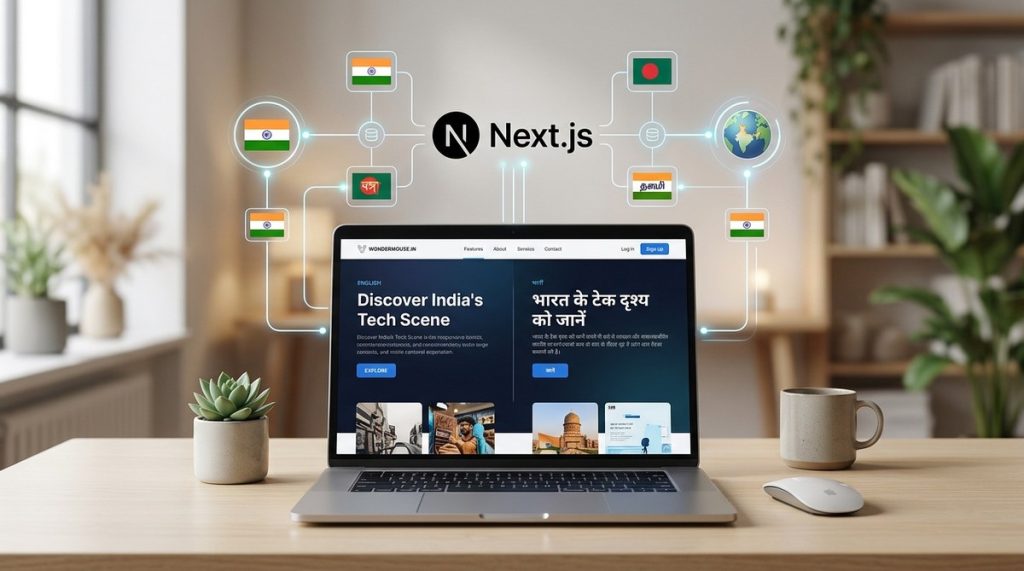
India speaks in many tongues. Hindi, Bengali, Marathi, Tamil, Telugu, and English are just the start. If your business wants to connect with users across this diverse landscape, a single language website leaves money on the table. You need a multi-language website built with Next.js that feels native to every region.
Building a multi-language website with Next.js for Indian audiences requires more than just translating text. You must handle right-to-left scripts, regional date formats, and local SEO signals. This guide walks you through i18n setup, hreflang tags, and UX patterns that work for Indian users in 2026.
Why Next.js Fits the Indian Market
Next.js is a natural choice for Indian developers. It gives you server-side rendering for SEO, static site generation for speed, and a robust internationalization (i18n) framework. Many Indian users access the web on slower mobile connections. Next.js helps you serve lightweight pages that load fast.
The framework also works well with Indian payment gateways like UPI and Razorpay. You can read more about that in our guide on how to integrate UPI payments into your web app with Node.js. But for now, let us focus on the language layer.
Setting Up Internationalization in Next.js
The official next-intl library is the standard approach for multi-language support in Next.js. Here is how to set it up for Indian languages.
1. Install and Configure next-intl
Run this command inside your project:
npm install next-intl
Create a messages folder at the root. Inside it, add JSON files for each locale. For example:
en.jsonfor Englishhi.jsonfor Hindibn.jsonfor Bengalita.jsonfor Tamil
Each file holds key-value pairs for your UI strings.
// hi.json
{
  "welcome": "स्वागत है",
  "searchPlaceholder": "खोजें..."
}
2. Configure Middleware
Update your next.config.js file to include the i18n middleware.
const withNextIntl = require('next-intl/plugin')();

module.exports = withNextIntl({
  // your other config
});
Create a middleware.js file to detect the user locale from the URL path or the Accept-Language header.
3. Structure Your Routes
Use locale prefixes in your URLs. This pattern is best for SEO and user clarity.
/en/products
/hi/products
/bn/products
/ta/products
If the user lands on the root, redirect them to their preferred locale based on browser settings or geolocation. For Indian users, you can use the Accept-Language header to guess their primary language.
Handling Regional Nuances Beyond Translation
Translation is only half the battle. Indian users expect content that respects their cultural context.
Date and Time Formats
India uses the DD/MM/YYYY format. Do not show MM/DD/YYYY which confuses users. The library date-fns with locale support works well here.
import { format } from 'date-fns';
import { hi } from 'date-fns/locale';

format(new Date(), 'PP', { locale: hi }); // Outputs Hindi date
Number Formatting
India uses the Indian numbering system. One lakh is 1,00,000. One crore is 1,00,00,000. Do not use Western grouping (100,000). Use the locale-aware Intl.NumberFormat object.
new Intl.NumberFormat('en-IN').format(100000); // "1,00,000"
Currency Display
Show prices in Indian Rupees (₹). Use the locale en-IN to get the correct symbol and formatting.
Expert advice: Always store prices in a base currency (like INR paise) and format them on the frontend. This avoids floating point errors and makes tax calculations easier.
SEO Best Practices for Multi-Language Sites
Google needs clear signals about which language version to show. Here are the critical steps.
Use hreflang Tags
Every page must have a “ tag pointing to its other language versions. Next.js makes this easy with dynamic head tags.
// in your layout or head component
Avoid Duplicate Content
Do not serve the same English content under a Hindi URL. Translate everything. If a page is not yet translated, either hide it from search engines with a noindex tag or redirect users to the English version.
Language-Specific Sitemaps
Create a separate sitemap for each language. Submit them to Google Search Console. This helps Google discover all your language variants faster.
For a deeper look at local SEO in India, read our guide on mastering local SEO to boost your business visibility online.
Building a Language Switcher That Works
A language switcher should be visible and intuitive. Place it in the top navigation bar. Use the native script of each language for labels.
| Language | Label | Script |
|---|---|---|
| English | English | Latin |
| Hindi | हिन्दी | Devanagari |
| Bengali | বাংলা | Bengali |
| Tamil | தமிழ் | Tamil |
Do not use flag icons. Flags represent countries, not languages. Hindi is spoken in India, Fiji, and Nepal. A flag icon can mislead users.
Persist the User Choice
Store the selected language in a cookie or in the user profile. Do not rely only on browser headers. A user may prefer Hindi on your site even if their browser is set to English.
Performance Considerations for Indian Users
Many Indian users access the web on mid-range smartphones with 4G or sometimes 3G connections. Your multi-language setup must not bloat the page size.
Load Only the Active Language
Do not load translation files for all languages on every page. Use Next.js dynamic imports to load only the current locale’s messages.
Use a CDN
Serve static assets from a CDN with points of presence in India. Providers like Cloudflare and Akamai have strong Indian nodes. This reduces latency significantly.
Check out our post on why your website needs a content delivery network for faster load times for more details.
Common Mistakes and How to Avoid Them
Here is a table of frequent errors developers make when building multi-language sites with Next.js.
| Mistake | Why It Hurts | Fix |
|---|---|---|
| Using browser language only | Ignores user preference stored in profile | Always check user settings first, then fallback to browser |
| Translating only the UI | Leaves product descriptions, reviews, and error messages in English | Create a complete translation workflow that covers all strings |
| Ignoring script direction | Tamil and Hindi are left-to-right, but Urdu is right-to-left | Use dir="auto" and test with Arabic/Urdu content |
| Hardcoding strings | Makes adding a new language a code change | Use a translation management system (TMS) with a JSON export |
Testing Your Multi-Language Website
Do not launch without testing. Here is a numbered checklist to follow.
- Test every page in every language. Look for untranslated strings.
- Verify that the language switcher works on mobile and desktop.
- Check that hreflang tags match the actual page content.
- Use Google’s Mobile-Friendly Test tool to confirm performance on slow connections.
- Ask a native speaker to review the translations. Automated tools miss cultural nuances.
For more on mobile optimization, see our guide on 7 best practices for optimizing web applications for Indian mobile users in 2026.
Your Next Steps with Multi-Language Next.js
Building a multi-language website with Next.js for Indian audiences is a smart investment. It opens your business to millions of users who prefer to read and shop in their native language. Start with two or three major languages like Hindi, Bengali, and Tamil. Add more as you see traffic and conversion data.
The setup is straightforward with next-intl. The real work is in the details: number formats, date styles, and local SEO. Get those right, and your website will feel like it was built for each region separately.
Now go ahead and add that language switcher. Your users in Mumbai, Kolkata, and Chennai will thank you.