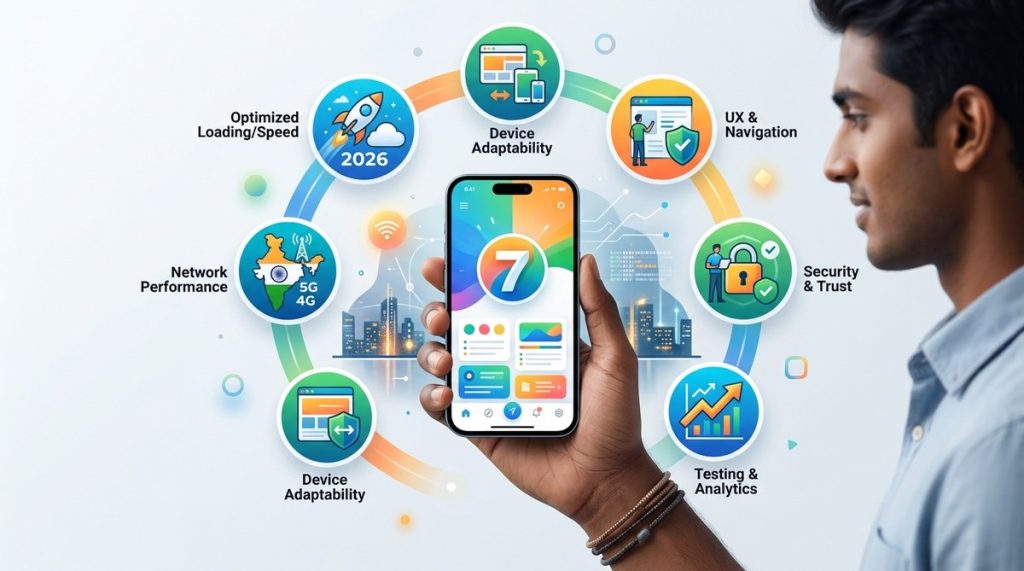
India is a mobile-first nation, and 2026 proves it. With over 800 million mobile internet users, your web app needs to work flawlessly on everything from a Rs. 8,000 smartphone on a 4G connection to a flagship device on 5G in a metro city. Yet most web apps still treat mobile users as an afterthought. They load heavy images, ignore network variability, and make shoppers wait ten seconds for a page to render. If you are a developer, product manager, or business owner building for India, this guide is for you. We focus on practical, field-tested approaches for optimizing web applications for Indian mobile users so you can improve performance, engagement, and conversions.
India has over 800 million mobile internet users in 2026, yet most web apps ignore regional network variability, device diversity, and data sensitivity. This guide shares proven strategies for optimizing web applications for Indian mobile users. You will learn practical techniques to reduce load times, minimize data consumption, support local payment methods like UPI, and build reliable experiences that work on every device of all price points from budget smartphones to flagship models across India.
Why the Indian Mobile User Is Different in 2026
India is not one market. It is dozens of markets inside one country. A user in Mumbai might have a fiber-like 5G connection, while a user in a tier-3 town in Bihar may rely on a spotty 4G signal that drops to 3G during peak hours. Both users expect your web app to load in under three seconds.
Here are the key factors that make the Indian mobile audience unique:
- Network volatility: Jio, Airtel, and Vi offer great coverage in cities, but rural areas still face congestion and signal drops.
- Device constraints: Most Indian users own budget Android phones with 2GB to 4GB of RAM and lower-end processors.
- Data sensitivity: Even with cheap data plans, users are wary of apps that consume too much bandwidth. They notice when a page eats 10MB of data.
- Language preference: While English works for many, Hindi, Tamil, Bengali, Telugu, and other regional languages drive engagement.
- Payment expectations: UPI dominates. If your web app does not support UPI, you are leaving money on the table.
Understanding these realities is the first step in optimizing web applications for Indian mobile users. Let us look at what you can do about them.
Start with a Mobile-First Architecture
Building for mobile first means you design the smallest, slowest connection scenario and then scale up. This approach is not new, but many teams still desktop-first their designs and then squeeze them into a mobile viewport.
If you are still undecided about your tech stack, take a look at the latest top web development trends to boost your business in 2026. The right architecture can save you months of rework.
Use Progressive Enhancement
Start with a core experience that works on any browser, any connection. Then layer on advanced features for devices that can handle them. For example, serve a lightweight HTML version of your product listing first, then lazy-load high-resolution images only when the user scrolls.
Keep JavaScript Bundles Lean
Heavy JavaScript bundles are the number one reason for slow load times on budget Android phones. Use code splitting to send only what the user needs for the page they are on. Tools like Webpack and Vite make this straightforward. Aim for a first-load JavaScript payload under 150KB.
Choose a Lightweight Framework
React is popular, but for content-heavy pages, consider frameworks that ship less JavaScript. Preact, Svelte, and SolidJS are excellent alternatives. If you need React for its ecosystem, use server-side rendering or static generation to reduce client-side work.
Reduce Data Usage Without Sacrificing Experience
Indian users pay for data, but the cost is still a concern for many. A web app that loads 5MB on every page visit will lose users to a competitor that loads only 500KB.
Optimize Images and Videos
Images are the largest part of most page payloads. Use next-gen formats like WebP and AVIF. Serve responsive images with the srcset attribute so a low-end phone on 2G receives a 480px image while a flagship phone gets the full resolution. For videos, use lazy loading and consider streaming adaptive bitrates.
Enable Resource Hints
Use preconnect, dns-prefetch, and preload to tell the browser what resources it needs early. This shaves off hundreds of milliseconds on slower networks. A good pattern is to preconnect to your CDN and any third-party APIs you load early.
Implement Adaptive Loading
Adaptive loading means your app detects the user’s network speed and device memory, then adjusts the experience. For example, on a slow connection, skip loading the hero carousel and show a static image instead. Google’s React Adaptive Loading library is a great starting point.
Optimize for Low-End Devices and Variable Connectivity
Most Indian users do not upgrade their phones every year. A device with 3GB of RAM and a MediaTek Helio processor is common. Your web app must run smoothly on such hardware.
Minimize Main Thread Work
Heavy JavaScript blocks the main thread and makes the UI feel janky. Offload parsing and computation to Web Workers where possible. For animations, use CSS transitions and requestAnimationFrame instead of JavaScript-driven animation libraries.
Cache Smartly with Service Workers
A service worker can cache your app shell and critical resources so that repeat visits load instantly. It can also serve a fallback page when the user goes offline. This is especially useful for users in areas with patchy connectivity.
Use a CDN with Edge Caching
A Content Delivery Network (CDN) reduces latency by serving files from servers close to the user. India has multiple CDN Points of Presence (PoPs) in cities like Mumbai, Delhi, Bengaluru, and Chennai. Choose a CDN that has deep coverage across India, not just the major metros. For a deeper look at how to measure and improve load speeds, check out this guide on boost your website performance with these proven development strategies.
Leverage PWA Features for an App-Like Experience
Progressive Web Apps (PWAs) are a perfect fit for the Indian market. They offer installability, offline support, and push notifications without the friction of app store downloads. JioMart, Flipkart, and MakeMyTrip all use PWAs to great effect.
Make Your PWA Installable
A good PWA has a web app manifest with icons, a theme color, and a short name. It registers a service worker and loads over HTTPS. When these conditions are met, users on Chrome for Android see an install prompt. This increases repeat engagement dramatically.
Support Offline Browsing
With a service worker, you can cache product pages, articles, or order history so users can browse them even when they have no signal. This is a huge win for users commuting on trains or traveling through areas with poor coverage.
Send Push Notifications
Push notifications work on PWAs just like native apps. Use them for order updates, price drops, or personalised offers. But be careful. Too many notifications lead to users blocking them. Send only what matters.
If you are new to building PWAs, the resource on mastering progressive web apps for seamless user experience will get you started.
Localize Payments and Regional Content
A web app that does not accept UPI will struggle in India. That is a fact. But localization goes beyond payments.
Integrate UPI Payments
UPI is the default payment method for millions of Indians. Integrate with a provider like Razorpay, Cashfree, or PhonePe for Business. Ensure your checkout flow is mobile-friendly with large touch targets and minimal steps. For a technical walkthrough, see this guide on how to integrate UPI payments into your web app with Node.js.
Support Regional Languages
India has 22 official languages and hundreds of dialects. Adding Hindi, Tamil, Telugu, Bengali, and Marathi can open up your app to a much larger audience. Use Unicode fonts and set the lang attribute on your HTML correctly. For dynamic content, use a translation management system like Lokalise or i18next.
Adapt Content and Imagery
Use culturally relevant images and examples. A fashion store showing winter coats in Mumbai in May will confuse users. Show products that match the local climate and festivals. Diwali, Pongal, Onam, and Eid are major shopping events. Tailor your marketing around them.
Monitor Performance with Real User Data
You cannot improve what you do not measure. Synthetic tests from Lighthouse are useful, but they do not reflect real-world conditions in India. You need Real User Monitoring (RUM).
Use RUM to Track Core Web Vitals
Tools like Google Analytics, Sentry, and Datadog can capture Core Web Vitals (LCP, FID, CLS) from actual users. Segment the data by region, device, and network type. If you see high LCP in Assam on 4G, you know where to focus your optimisation.
Set Up Error Tracking
Budget Android phones often run older browser versions that may not support modern APIs. Error tracking helps you catch compatibility issues before they affect a large number of users. Log JavaScript errors and monitor the number of affected sessions.
A/B Test Performance Changes
Before rolling out a performance optimisation site-wide, run an A/B test on a small percentage of traffic. Measure the impact on load time, bounce rate, and conversion. This way you know the change is actually helping.
For a more detailed approach to measuring and improving site speed, read about essential web development tools every startup should use.
A Practical Optimization Checklist
Here is a numbered list of steps you can take today to start optimizing web applications for Indian mobile users.
- Audit your current page weight. Use Chrome DevTools or WebPageTest to measure total transferred bytes. Aim for under 1MB for the first view.
- Enable HTTP/2 or HTTP/3. Multiplexed connections reduce latency, especially on slow networks. Most CDNs and modern servers support this.
- Compress everything. Use Brotli compression for text-based assets. It is more efficient than gzip and is supported by all modern browsers.
- Lazy-load below-the-fold content. Images, videos, and iframes that are not visible on the initial viewport should load only when the user scrolls near them.
- Set up a service worker for caching. Cache your app shell and critical routes so the second visit feels instant.
- Optimise your Critical Rendering Path. Inline critical CSS in the
<head>and defer non-critical CSS and JavaScript. - Reduce third-party scripts. Limit the number of analytics, chat, and ad scripts. Each one adds network overhead and blocks rendering.
- Use a performance budget. Set a hard limit on JavaScript size, image weight, and total page size. Break the build if the budget is exceeded.
Common Mistakes and How to Avoid Them
Below is a table of frequent missteps teams make when optimizing web applications for Indian mobile users, along with their fixes.
| Mistake | Why It Hurts | How to Fix It |
|---|---|---|
| Serving desktop-sized images | Increases page weight and load time on low-end devices. | Use responsive images with srcset and sizes attributes. |
| Blocking render with JavaScript | Users see a white screen for seconds until JS loads. | Inline critical CSS, defer JS, and use server-side rendering. |
| Ignoring network type | All users get the same experience regardless of connection speed. | Implement adaptive loading based on navigator.connection.effectiveType. |
| Not supporting UPI | Cart abandonment skyrockets. | Integrate UPI via Razorpay or similar. Offer it as a prominent option. |
| English-only interface | Misses millions of non-English speaking users. | Add support for Hindi, Tamil, Telugu, and Bengali. |
| Heavy carousels and autoplay videos | Consume data and slow down interactivity. | Replace with static hero images on slow connections. |
Build Responsive Layouts That Work Everywhere
Responsive design is table stakes in 2026. But responsive does not mean just fluid grids and media queries. It means designing for the unique ways people use their phones in India.
Design for One-Handed Use
Many users browse with one hand while commuting. Place key actions like the search bar, add-to-cart button, and navigation within the lower half of the screen. This is sometimes called the thumb zone. It makes your app easier to use on large-screen phones.
Use Touch-Friendly Targets
Buttons and links should be at least 48×48 pixels. Anything smaller frustrates users with larger fingers or who are tapping while on a bumpy bus ride. Provide enough spacing between tappable elements to prevent misclicks.
Account for Regional Network Conditions
If you are building a layout that relies on real-time data, provide skeleton screens instead of spinners. Skeleton screens make the app feel faster even when the network is slow. They also reduce the perceived load time significantly.
For a deeper look at layout strategies that engage Indian users, check out how to build responsive web designs that drive Indian users engagement in 2026.
A Developer’s Guide to Testing in the Indian Context
Testing on a MacBook with a 100Mbps connection tells you nothing about how your app behaves in India. You need to test on real devices and real networks.
Build a Device Lab
You do not need every phone on the market. Focus on the most popular budget and mid-range devices in India. Models from Realme, Xiaomi, Samsung’s M series, and Vivo cover a large percentage of users. Use browser emulation as a supplement, not a replacement.
Simulate Slow Networks
Use Chrome DevTools to throttle your network to Slow 3G or even 2G. Your app should be usable at these speeds. If a page takes longer than 5 seconds to become interactive, you have work to do.
Test with Real Users
Run beta tests with users in tier-2 and tier-3 cities. Their feedback will reveal issues that no synthetic test can catch. Platforms like UserTesting or even a simple WhatsApp group can help you gather insights.
Expert advice: “The best performance optimisation for Indian users is to ship less code. Every kilobyte matters when your user is on a congested 4G tower. Audit your bundles ruthlessly and remove anything that does not provide immediate value.”
Rohit Bhatnagar, Senior Frontend Engineer at a leading Indian ecommerce startup
Build for the Indian Mobile User First
When you start optimizing web applications for Indian mobile users, you are not just improving performance. You are respecting your user’s time, data, and device limitations. That respect translates directly into better retention, higher conversion, and stronger brand loyalty.
Start with one change today. Maybe it is compressing your images. Maybe it is adding a service worker. Maybe it is integrating UPI if you have not already. Each small improvement compounds. Over time, your web app will feel like it was built specifically for the Indian mobile user. And in 2026, that is the biggest competitive advantage you can have.