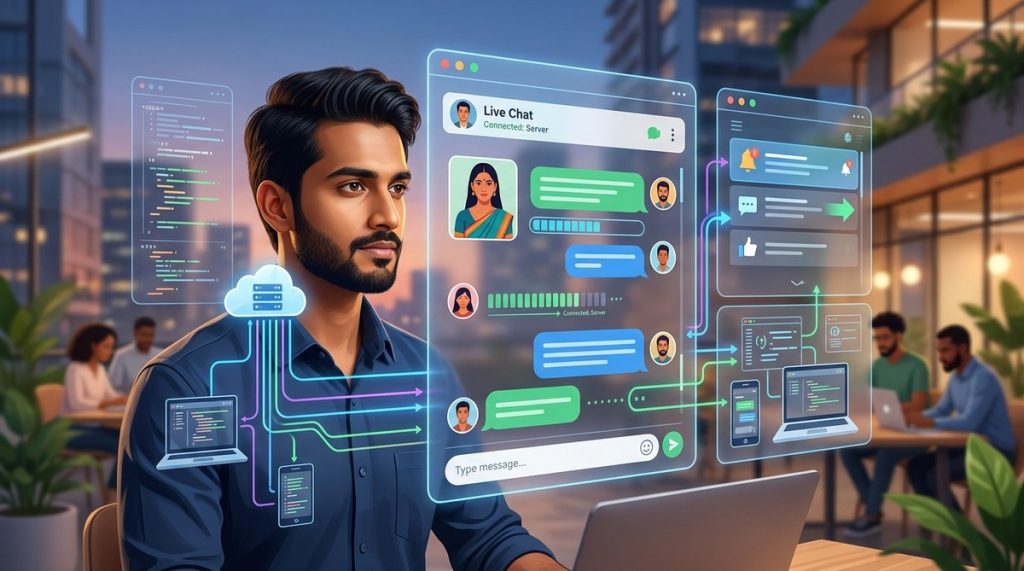
If you have built a web application in India, you already know the struggle. Users expect instant updates. They want chat messages to appear without refreshing the page. They want notifications the moment an order is confirmed, a payment is received, or a cab is booked. Traditional HTTP requests just cannot keep up. Every time the browser asks the server "anything new?" it wastes bandwidth and adds delay. That is where WebSockets come in. They open a persistent, two-way connection between the client and the server. Data flows instantly in both directions. For Indian developers building apps for a mobile-first audience where data costs and network latency are real concerns, WebSockets are not a luxury. They are a necessity.
WebSockets enable persistent, low-latency communication between a client and server, making them ideal for real-time chat and notifications in Indian web apps. This guide walks you through setup, code examples, common pitfalls, and best practices. You will learn how to build features that users in India expect from modern platforms like Swiggy, Zomato, and Paytm.
What Makes WebSockets Different from Regular HTTP
Think of HTTP like sending a letter every time you want to check something. You write the request, post it, wait for a reply, and then read the response. If you want to check for new messages every five seconds, you send a new letter each time. That is polling. It works, but it wastes resources.
WebSockets work more like a phone call. You dial once, the connection stays open, and both sides talk freely until someone hangs up. The server can send data to the client without waiting for a request. This makes WebSockets perfect for chat apps, live notifications, collaborative tools, and real-time dashboards.
For Indian users on slow or intermittent mobile networks, a persistent connection reduces the number of round trips. That means lower data usage and faster updates. Popular Indian apps like Razorpay, Cred, and Dunzo rely on WebSockets to deliver real-time experiences without draining the user's data plan.
How to Implement WebSockets for Real Time Chat: A Step by Step Guide
Let us build a simple real-time chat feature using Node.js on the server and vanilla JavaScript on the client. This example mirrors what you might need for a customer support chat on an Indian e-commerce site or a group chat inside a social app.
-
Set up your Node.js project. Create a new folder, run
npm init -y, and install thewslibrary along withexpressfor serving static files. Thewslibrary is lightweight and well maintained, making it a solid choice for Indian startups that want to avoid heavy dependencies. -
Create the WebSocket server. In your
server.jsfile, import thewsmodule and create a new WebSocket server instance attached to your HTTP server. Listen for theconnectionevent. When a client connects, log the event and set up listeners for incoming messages. -
Handle incoming messages. When a message arrives, parse it if it is JSON, then decide what to do. For a chat app, you typically broadcast the message to all connected clients or to a specific room. Use a loop over
wss.clientsto send the message to every client except the sender. -
Build a simple client page. Create an
index.htmlfile with a text input, a send button, and a div to display messages. In the script tag, create a newWebSocketobject pointing tows://localhost:3000. Listen for themessageevent on the socket and append incoming messages to the display div. -
Add notification support. To send push like notifications from the server, you can trigger a separate WebSocket message type. For example, when a new order is placed on your backend, the server sends
{ type: "notification", text: "Your order has been confirmed" }to the relevant client. The client checks thetypefield and shows a browser notification using the Notification API. -
Test your setup. Run your server with
node server.js, open the HTML file in two browser tabs, and send messages. They should appear in real time without any page refresh.
Here is a minimal server code snippet to get you started:
const express = require('express');
const http = require('http');
const WebSocket = require('ws');

const app = express();
const server = http.createServer(app);
const wss = new WebSocket.Server({ server });

wss.on('connection', (ws) => {
  console.log('A user connected');

  ws.on('message', (message) => {
    // Broadcast to all other clients
    wss.clients.forEach((client) => {
      if (client !== ws && client.readyState === WebSocket.OPEN) {
        client.send(message);
      }
    });
  });

  ws.on('close', () => {
    console.log('A user disconnected');
  });
});

server.listen(3000, () => {
  console.log('Server is running on port 3000');
});
This basic setup works well for small applications. For production, you will want to add authentication, room management, and reconnection logic. If you are building a larger system, consider using Socket.IO instead of raw WebSockets. Socket.IO provides fallbacks for older browsers and built in support for rooms and namespaces.
Common Mistakes Indian Developers Make with WebSockets
Even experienced developers trip up on a few recurring issues. Here is a table that breaks down the most common mistakes and how to fix them.
| Mistake | What Happens | Fix |
|---|---|---|
| No reconnection logic | Users lose connection during network switches (common on Indian mobile networks) and never get back online | Implement automatic reconnection with exponential backoff using libraries like reconnecting-websocket |
| Sending raw strings instead of JSON | Parsing becomes messy and error prone on the client side | Always send structured JSON with a type field and a payload object |
| Storing WebSocket references in memory without cleanup | Memory leaks after users disconnect | Remove references from your user map on the close event |
| Broadcasting to all clients when only some need the data | Wasted bandwidth and potential data privacy issues | Use rooms or user specific channels to target messages |
| Ignoring authentication | Anyone who knows your server address can connect and send messages | Validate a token during the initial handshake using query parameters or a dedicated auth message |
| Not scaling horizontally | When your app grows, a single server cannot handle all connections | Use a pub/sub system like Redis to share state across multiple WebSocket servers |
Avoid these pitfalls from day one. They will save you hours of debugging later, especially when your user base grows from a few hundred beta testers to thousands of active users across Indian cities.
Best Practices for Real Time Chat and Notifications
Follow these practices to build a reliable and user friendly real time system. They are based on lessons learned from Indian startups that scaled their chat and notification features successfully.
- Always use WSS (WebSocket Secure) in production. Regular WS sends data in plain text. For any app handling user data, WSS is non negotiable, especially with India's data protection laws evolving in 2026.
- Implement heartbeats. Send a small ping frame from the server every 30 seconds. If the client does not respond, close the connection and attempt a reconnect. This keeps dead connections from piling up.
- Keep message payloads small. Indian users on 2G or spotty 4G connections benefit from compact JSON. Remove unnecessary fields and use short key names where possible.
- Provide visual feedback. Show a "connecting..." indicator when the socket is not open. Users in India are patient but they need to know the app is trying. A spinner or a subtle toast message works well.
- Use a message queue for reliability. If your server crashes, unprocessed messages are lost. Tools like Bull or RabbitMQ can buffer messages until the server is ready to deliver them.
- Monitor connection metrics. Track the number of open connections, messages per second, and error rates. Use a tool like Prometheus or a simple logging middleware. This helps you catch issues before users complain.
"The best real time system is the one users do not notice. If your chat feels as natural as a face to face conversation, you have done your job. Focus on reliability over flashy features." — Ravi Shankar, Principal Engineer at an Indian fintech startup
Real World Use Cases for Indian Web Apps
WebSockets power many of the features that Indian users love. Here are three scenarios where they make a clear difference.
Customer support chat. Imagine a user on your e-commerce site needs help with a return. They open a chat widget. Instead of waiting for an email reply, they get connected to an agent instantly. The agent sees what the user is looking at and responds in real time. This reduces abandonment and builds trust. Many Indian D2C brands use this pattern to compete with larger marketplaces.
Live order tracking. Food delivery and cab booking apps rely on WebSockets to update the user's screen as the order status changes. "Order confirmed," "Preparing your food," "Out for delivery," "Your cab is 2 minutes away." Each update pushes through the WebSocket connection without the user refreshing the page. Users in cities like Bengaluru, Mumbai, and Delhi expect this level of transparency.
Collaborative tools. Edtech platforms in India use WebSockets to sync whiteboards, quizzes, and chat during live classes. When a teacher draws a diagram, it appears on every student's screen at the same time. This creates a shared experience that feels like a physical classroom.
If you are building any of these features, you are already on the right path. WebSockets give you the foundation to deliver the speed and responsiveness that modern Indian users expect. For more context on how these technologies fit into a broader strategy, check out our guide on top web development trends to boost your business in 2026 and learn about the essential web development tools every startup should use.
Handling Scale and Security for Indian Audiences
As your app grows, you need to think about scale. A single Node.js process can handle thousands of concurrent WebSocket connections, but only up to a point. When you cross that threshold, you need to add more servers.
The challenge is that WebSocket connections are sticky. A client connects to one specific server. If you have multiple servers behind a load balancer, you need to ensure that messages sent from one server reach users connected to another server. The standard solution is to use a pub/sub broker like Redis. Every server publishes messages to Redis, and Redis forwards them to all subscribed servers. This way, your chat system works as a single logical unit even though it runs on multiple machines.
Security is another critical concern. Always validate the origin header on the server side. Only allow connections from domains you control. Use a token based authentication flow. When a user logs in, issue a short lived token. Pass that token as a query parameter when the WebSocket connection is established. On the server, verify the token before accepting the connection. This prevents unauthorized users from joining your chat rooms.
For apps handling sensitive user data, consider encrypting the message payload even over WSS. This adds an extra layer of protection. The Indian government's data protection framework in 2026 places strong emphasis on user consent and data security. Build these practices into your system from the start rather than retrofitting them later.
Integrating WebSockets with Indian Payment and Notification Systems
One powerful pattern is combining WebSockets with UPI payment flows. When a user initiates a payment on your site, the server opens a WebSocket connection and waits for the payment confirmation from the payment gateway. As soon as the gateway sends a callback, the server pushes a success message to the user's browser. The user sees the confirmation instantly without refreshing the page. This makes the payment experience feel seamless and professional.
You can also use WebSockets to deliver in app notifications that complement SMS and email. For example, when a user receives a new message in their inbox, the server sends a notification through the WebSocket. The client shows a browser notification if the page is in the background, or updates the unread count if the user is active. This reduces reliance on SMS costs, which can add up quickly for Indian businesses sending thousands of transactional messages. To see how to connect payments to your web app, read our guide on how to integrate UPI payments into your web app with Node.js and learn about the 5 essential security practices every web developer in India must follow.
Your Next Steps with WebSockets
You now have a clear path to implement WebSockets for real time chat and notifications in your Indian web app. Start with the simple Node.js setup we covered. Get a basic prototype working. Then layer in authentication, reconnection, and scaling as your user base grows. The key is to start building and iterate based on what you learn.
WebSockets are not a magic bullet. They require careful handling of connections, state, and errors. But for any app that needs real time features, they are the right tool. The Indian web development community is embracing them. You should too.
Build something that works on patchy networks. Build something that respects user data. Build something that feels instant. Your users will notice the difference. And when they do, they will keep coming back. If you want to explore related topics, our article on mastering progressive web apps for seamless user experience pairs well with real time features. And for a broader look at where the industry is headed, check out the top web design trends to boost your business presence in 2026.