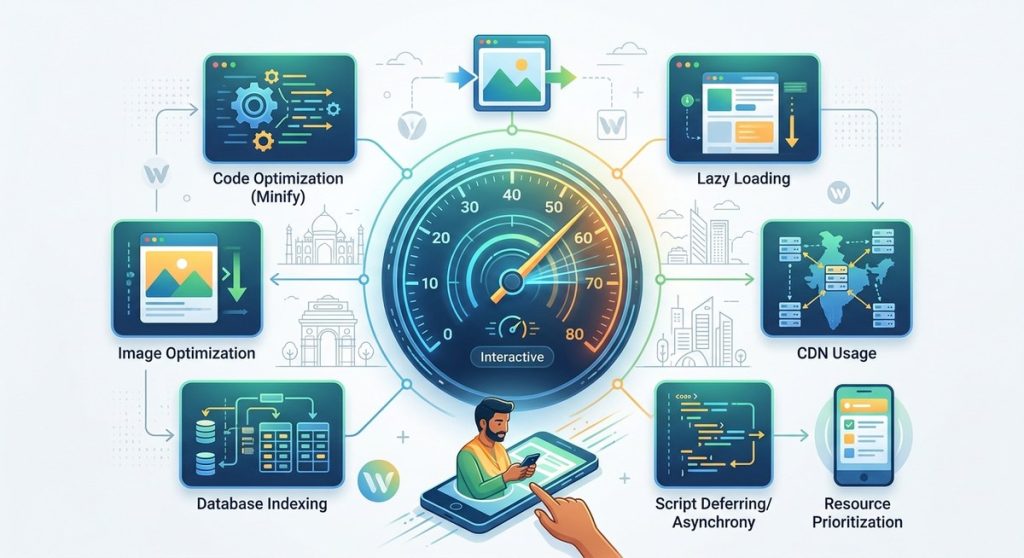
The moment a page on your site loads, a clock starts ticking. But it is not the total load time that matters most. What really counts is when a visitor can actually do something. Click a button. Type a query. Scroll through a product list. That moment is called Time to Interactive (TTI). And for users in India, where network conditions vary wildly between a fiber connection in Bengaluru and a 4G hotspot in a Tier 3 town, a slow TTI means lost visitors and lost revenue. You can have the most beautiful design in the world, but if someone cannot interact with it within a few seconds, they will leave.
To improve time to interactive for Indian users, focus on reducing server response times, using a CDN with local nodes, lazy loading heavy assets, and minimizing JavaScript execution. A sub two second TTI is achievable even on slower connections if you prioritize critical resources and defer non essential scripts.
What Makes TTI Different for Indian Users
Indian internet users are not a monolith. Some access your site via Jio Fiber at 100 Mbps. Others rely on mobile data plans with inconsistent speeds. Many use older smartphones with limited RAM. This mix creates a unique challenge. A site that feels snappy on a high end device in Mumbai might take ten seconds to become interactive on a budget phone in a smaller city.
The standard advice for improving TTI often assumes a Western context where fast broadband is the baseline. That approach fails in India. You need to optimize for the lowest common denominator without ruining the experience for users who have fast connections.
The Core Problem: JavaScript Blocking the Render
Most websites today are overloaded with JavaScript. Tracking scripts, chat widgets, analytics, font loaders, ad networks. Each one of these scripts blocks the browser from rendering the page until it finishes downloading and executing. This directly increases TTI.
To improve time to interactive for Indian users, you must treat JavaScript as a limited resource. Every script you add should justify its cost in milliseconds.
1. Move Non Essential Scripts to the Bottom
Place your core CSS and critical JavaScript in the <head> or inline it. Everything else should be deferred. Use the defer attribute for scripts that do not need to run immediately. This simple change can shave one to two seconds off your TTI.
Here is a list of scripts that typically do not need to load at the start:
- Chat widgets (Intercom, Zendesk, etc.)
- Social media share buttons
- Analytics and tracking pixels
- A/B testing tools
- Newsletter popup scripts
Load these after the page is interactive. Your users in India will thank you.
2. Use a CDN with Indian Edge Nodes
A Content Delivery Network (CDN) caches your static assets on servers around the world. But the key for Indian audiences is finding a CDN that has points of presence inside India. Services like Cloudflare, Akamai, and Fastly have multiple nodes in cities like Mumbai, Delhi, and Chennai. This reduces the physical distance data must travel.
When a user in Kolkata requests your site, the assets should come from a server in Mumbai, not from Singapore or Europe. That difference of a few hundred milliseconds can be the difference between a user waiting or leaving. For more on this, read about why your website needs a content delivery network for faster load times.
3. Lazy Load Everything Below the Fold
Images, videos, and iframes are heavy. Do not load them until the user scrolls down. Use the loading="lazy" attribute on images and loading="lazy" on iframes. This prevents the browser from downloading resources that the user may never see.
This is especially important for e commerce sites in India where product pages often have dozens of images. Load the main product image and the critical above the fold content first. The gallery thumbnails and reviews sections can wait.
4. Minimize Server Response Time (TTFB)
Time to First Byte (TTFB) measures how long it takes for your server to respond to a request. If your server is slow, nothing else matters. For Indian users, hosting your site on a server located in India or Singapore is ideal.
Consider using a serverless architecture or a static site generator to reduce backend processing time. If you are using WordPress, ensure you have a good caching plugin and a CDN in front of it. A slow TTFB is often the single biggest factor holding back your TTI. You can learn more about this in our guide on how to implement serverless architecture for high-traffic indian websites.
5. Optimize Font Delivery
Custom fonts are a hidden performance killer. Each font file can be 100 KB or more, and the browser often blocks rendering until the font is loaded. Use font-display: swap to tell the browser to show a fallback font immediately and swap it when the custom font is ready.
Also, limit the number of font weights you load. Do you really need Light, Regular, Medium, Semi Bold, Bold, and Extra Bold? Pick two or three weights at most. Subset your fonts to include only the characters you need. For a Hindi or multilingual site, this is critical because full Devanagari character sets can be large.
6. Reduce Third Party Scripts
Every third party script is a potential bottleneck. Audit your site and remove any scripts that are not essential. Replace heavy widgets with lightweight alternatives. For example, use a simple contact form instead of a full featured chat widget.
“The fastest code is the code you never load.” This old developer saying is especially true for TTI. Every external script adds a DNS lookup, a TCP handshake, and a TLS negotiation. On a slow Indian mobile network, that can add hundreds of milliseconds per script.
7. Implement Resource Hints
Use preconnect and preload to tell the browser which resources are critical. For example, if your CSS is hosted on a CDN, add a preconnect hint to establish the connection early. This reduces the time the browser spends waiting for the connection to be established.
A common mistake is to preload everything. Only preload resources that are needed for the initial render. Preloading too many resources can actually slow things down by competing for bandwidth.
Common TTI Mistakes and Fixes
Here is a table that shows common mistakes and how to fix them.
| Mistake | Why It Hurts TTI | Fix |
|---|---|---|
| Loading all JavaScript in the head | Blocks rendering until scripts finish | Move scripts to footer or use defer |
| No CDN for static assets | Assets travel long distances | Use a CDN with Indian nodes |
| Large hero images without compression | Increases download time | Use WebP format and compress images |
| Custom fonts loaded synchronously | Blocks text rendering | Use font-display swap and subset fonts |
| Too many third party scripts | Multiple network round trips | Audit and remove unnecessary scripts |
| Server located outside India | High latency for Indian users | Host in India or use a global CDN |
| No lazy loading for images | Loads all images at once | Add loading=”lazy” to images and videos |
A Step by Step Process to Measure and Fix TTI
- Measure your current TTI. Use Google PageSpeed Insights or WebPageTest. Run the test from a location in India, like Mumbai or Delhi. Note the TTI value.
- Identify blocking resources. Look at the waterfall chart. Find any scripts or CSS files that are loaded synchronously and delay the start of rendering.
- Prioritize above the fold content. Inline critical CSS. This is the CSS needed to style the part of the page visible without scrolling. Everything else can be loaded asynchronously.
- Defer non critical JavaScript. Move analytics, chat, and social widgets to load after the page is interactive.
- Optimize images and fonts. Compress images to WebP. Subset fonts. Use lazy loading.
- Set up a CDN. Choose a provider with Indian edge nodes. Configure caching rules for static assets.
- Test again. Run the same test from the same Indian location. Compare the TTI. Repeat until you hit your target.
For a deeper look at the metrics you should track, read our article on 5 key web performance metrics every developer must monitor in 2026.
Why Mobile Optimization Is Non Negotiable
Over 75% of web traffic in India comes from mobile devices. Mobile networks have higher latency and variable bandwidth. This makes TTI even more critical. A desktop user might tolerate a three second wait. A mobile user on a crowded 4G tower will give up after two seconds.
Optimize your mobile experience first. Use responsive design, but also consider building a Progressive Web App (PWA) for repeat visitors. PWAs can cache resources and load instantly on subsequent visits. Learn how in our guide to build a progressive web app that works offline.
Keeping Visitors Engaged While They Wait
Sometimes, despite your best efforts, a user will have to wait a moment. In those cases, give them something to look at. Show a loading indicator or a skeleton screen. Skeleton screens are lightweight outlines of the page layout that appear while the content loads. They make the site feel faster because the user sees progress.
Avoid using animated loading spinners that spin for more than a second. They frustrate users. Instead, show a progress bar or a skeleton of the actual content.
Putting It All Together for Indian Audiences
Improving time to interactive for Indian users is not about a single silver bullet. It is about a combination of strategies that work together. Use a CDN with local nodes. Minimize JavaScript. Lazy load images. Optimize fonts. Measure from an Indian location.
If you follow these steps, you will see a measurable drop in TTI. Your users will be able to click, scroll, and buy faster. That translates directly into lower bounce rates and higher conversions. For more context on how these changes fit into a broader strategy, check out boost your website performance with these proven development strategies.
Start with One Change Today
You do not have to do everything at once. Pick one item from the list. Maybe it is deferring your analytics script. Maybe it is enabling lazy loading on images. Make that one change. Measure the result. Then move to the next. Over a week or two, you will build a site that feels responsive to every user, whether they are on a Jio Fiber connection in Delhi or a patchy 4G signal in a village in Uttar Pradesh. Your visitors will notice the difference. And they will stay.