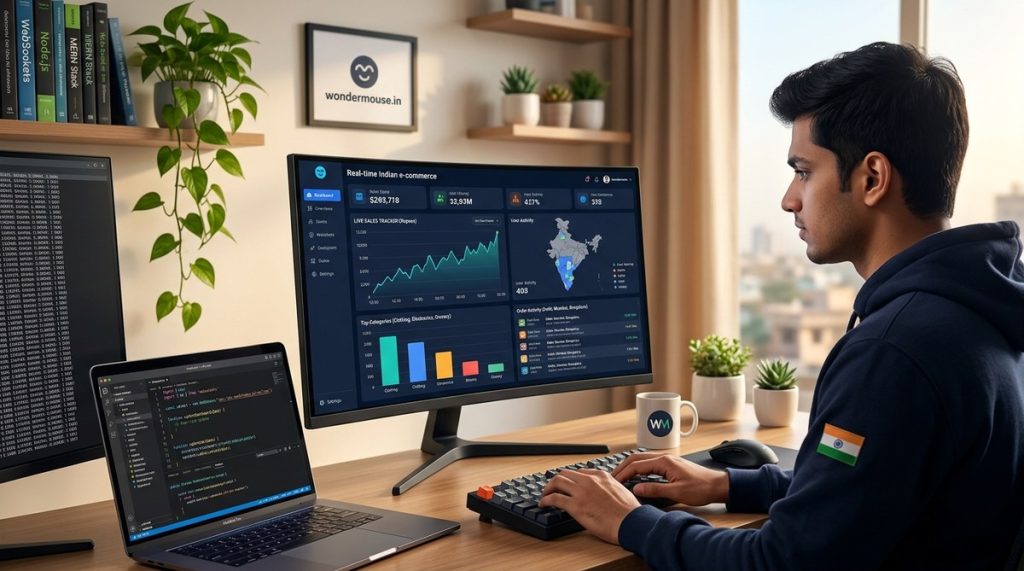
Your customers expect instant updates. When a customer in Bengaluru places an order, your team in Mumbai should see it appear on screen in under a second. When a product goes out of stock during a flash sale, your inventory dashboard should reflect that change immediately. Traditional HTTP polling just cannot keep up with these demands. That is where WebSockets come in. They provide a persistent, two way communication channel between the browser and your server. For Indian e-commerce platforms dealing with high traffic during events like the Big Billion Days or Republic Day sales, WebSockets are the backbone of real-time operations.
Building a real-time dashboard with WebSockets helps Indian e-commerce sites manage live inventory, track orders instantly, and display analytics without page refreshes. This guide covers the full setup using Node.js and Socket.IO, practical code examples, scaling strategies for high traffic, and common mistakes to avoid. By the end, you will have a production ready foundation for your platform.
Why Your Indian E-Commerce Site Needs WebSockets
Indian online shoppers are impatient. A study by Google and Bain & Company found that 80% of Indian shoppers expect two day delivery. But speed is not just about logistics. It is about the digital experience too. If a customer sees “10 items left” on a product page, but that number is stale by five minutes, they might miss out on a deal. Worse, they could place an order for an item that is already sold out.
Real-time dashboards solve this. They give your operations team a live view of the entire platform. Order volumes, payment success rates, inventory levels, and customer support tickets all update as events happen. This is not a luxury for Indian e-commerce startups. It is a necessity.
WebSockets outperform HTTP polling in three key ways:
– Lower latency: Data travels in milliseconds.
– Less bandwidth: No repeated HTTP headers for each request.
– Server push: The server sends updates without waiting for the client to ask.
Setting Up the WebSocket Server with Node.js
Let us build the foundation. You need a Node.js server with the ws library or Socket.IO. For an Indian e-commerce context, Socket.IO is often the better choice because it handles fallbacks for older browsers and provides rooms for broadcasting to specific users.
Here is a minimal setup using Socket.IO:
const express = require('express');
const http = require('http');
const { Server } = require('socket.io');

const app = express();
const server = http.createServer(app);
const io = new Server(server, {
  cors: {
    origin: "https://your-ecommerce-site.com",
    methods: ["GET", "POST"]
  }
});

io.on('connection', (socket) => {
  console.log('A user connected:', socket.id);

  socket.on('disconnect', () => {
    console.log('User disconnected:', socket.id);
  });
});

server.listen(3000, () => {
  console.log('WebSocket server running on port 3000');
});
This code creates a basic server that accepts connections. But for a real dashboard, you need to broadcast data. Here is how you push inventory updates to all connected clients:
// Simulate inventory change
function broadcastInventoryUpdate(productId, newStock) {
  io.emit('inventory-update', { productId, newStock });
}

// Call this when your database updates
broadcastInventoryUpdate('PROD-1234', 5);
Building the Dashboard Frontend
Your frontend needs to listen for these events. Here is a simple client side setup using vanilla JavaScript:
const socket = io('wss://your-server.com');

socket.on('inventory-update', (data) => {
  const element = document.getElementById(`stock-${data.productId}`);
  if (element) {
    element.innerText = `Stock: ${data.newStock}`;
    element.classList.add('flash-update');
    setTimeout(() => element.classList.remove('flash-update'), 2000);
  }
});
For an Indian audience, consider using a library like Chart.js to render live graphs. You can update the chart data every time a WebSocket message arrives. This gives your team a visual representation of order trends during peak hours.
Handling Real-Time Order Tracking
Order tracking is one of the most demanding features for Indian e-commerce platforms. During a sale, thousands of orders pour in every minute. Your dashboard must show each order’s status without delay.
Here is a practical approach:
- When an order is placed, your backend emits an event to a specific room for the operations team.
- The dashboard listens for
new-orderevents and appends them to a live table. - When the order status changes (shipped, out for delivery, delivered), emit a
order-status-updateevent.
// Server side
io.to('operations-room').emit('new-order', {
  orderId: 'ORD-98765',
  customer: 'Priya Sharma',
  amount: 2499,
  status: 'confirmed'
});

// Client side
socket.on('new-order', (order) => {
  const row = document.createElement('tr');
  row.innerHTML = `
    <td>${order.orderId}</td>
    <td>${order.customer}</td>
    <td>Rs. ${order.amount}</td>
    <td class="status-${order.status}">${order.status}</td>
  `;
  document.getElementById('orders-table-body').prepend(row);
});
Scaling WebSockets for Indian Traffic Peaks
Indian e-commerce sites face extreme traffic spikes. Flipkart reported handling 1.4 billion visits during their 2023 Big Billion Days sale. Your WebSocket setup must scale horizontally to handle similar loads.
Here are the strategies you need:
| Technique | What It Does | Best For |
|---|---|---|
| Redis adapter for Socket.IO | Shares state across multiple server instances | Horizontal scaling with multiple Node.js processes |
| Sticky sessions | Ensures a client connects to the same server | Simple deployments with a load balancer |
| Message queue (RabbitMQ, Kafka) | Decouples event production from consumption | High throughput systems with many event types |
| Client side throttling | Limits how often the client updates the UI | Preventing UI freeze during rapid updates |
For most Indian startups, starting with a Redis adapter is the smartest move. It is easy to set up and handles the common case of multiple server instances.
const { createAdapter } = require('@socket.io/redis-adapter');
const { createClient } = require('redis');

const pubClient = createClient({ url: 'redis://localhost:6379' });
const subClient = pubClient.duplicate();

io.adapter(createAdapter(pubClient, subClient));
Common Mistakes to Avoid
Building a real-time dashboard is straightforward, but there are pitfalls. Here is a table of mistakes and how to fix them:
| Mistake | Why It Hurts | The Fix |
|---|---|---|
| Broadcasting everything to all users | Wastes bandwidth and exposes sensitive data | Use rooms and namespaces to target specific clients |
| No reconnection logic | Users lose connection during network issues | Enable Socket.IO auto-reconnection with exponential backoff |
| Sending raw database objects | Exposes internal IDs and sensitive fields | Create a sanitized payload with only needed fields |
| Ignoring authentication | Anyone can connect and see your data | Validate JWT tokens on the WebSocket handshake |
| Not handling backpressure | Server crashes under heavy load | Implement message queuing and rate limiting |
Expert advice: Always test your WebSocket implementation under load. Use tools like
artilleryork6to simulate thousands of concurrent connections. Indian networks can be unpredictable, so test with real world conditions including 3G and 4G throttling.
Integrating with Your Existing Stack
Your e-commerce platform likely uses a combination of technologies. Here is how WebSockets fit in:
- Database changes: Use PostgreSQL LISTEN/NOTIFY or MongoDB change streams to detect updates and broadcast them.
- Payment gateways: When Razorpay or PayU confirms a payment, emit a
payment-successevent to the finance dashboard. - Logistics APIs: When Shiprocket or Delhivery updates a tracking status, push that to the operations dashboard.
For a deeper look at related technologies, check out our guide on The same principles apply to dashboards.
Security Considerations for Indian E-Commerce
Indian regulations under the IT Act and the upcoming Digital Personal Data Protection Act require you to protect user data. WebSockets are no exception.
- Always use WSS (WebSocket Secure) in production.
- Authenticate connections using tokens, not just session IDs.
- Never broadcast order details containing addresses or phone numbers to all users.
- Log all WebSocket connections and disconnections for audit trails.
If you are building a dashboard for your internal team, consider using IP whitelisting on top of authentication. This adds an extra layer of security.
Monitoring and Debugging Your WebSocket Dashboard
Once your dashboard is live, you need to monitor its health. Key metrics include:
– Number of active connections
– Message throughput per second
– Average latency between server push and client receipt
– Error rates (connection drops, authentication failures)
Use tools like Prometheus and Grafana to visualize these metrics. Set up alerts for when connection counts drop suddenly, which could indicate a server crash or network partition.
For debugging, Socket.IO provides a debug namespace. Run your server with DEBUG=socket.io:* to see detailed logs of every event.
Putting It All Together for Your Platform
Building a real-time dashboard with WebSockets for your Indian e-commerce site is not just about technology. It is about giving your team the tools they need to react instantly. When a product goes viral on Instagram, your inventory team sees the stock dropping in real time. When a payment gateway goes down, your finance team knows within seconds.
Start small. Implement live order tracking first. Then add inventory updates. Then layer on analytics. Each feature builds on the last, and your team will wonder how they ever worked without live data.
For more on building robust web applications for the Indian market, read our guide on The same user centric thinking applies to your dashboard.
Your Next Steps Toward a Live Dashboard
You now have the blueprint. Set up a Socket.IO server on your staging environment. Connect a simple dashboard that shows your test orders. Watch the numbers update without a page refresh. That feeling of seeing data flow in real time is addictive.
Once you have that working, deploy to production. Start with a single dashboard view for your operations team. Monitor the connection metrics. Scale with Redis when needed. Your team will thank you when the next big sale hits and they can see every order as it happens.
The Indian e-commerce market is growing at 25% annually. The platforms that win are the ones that operate with speed and precision. Real-time dashboards powered by WebSockets give you that edge.