Building a web application that feels fast and familiar in a place like Kolhapur or Guwahati is very different from building one for users in South Delhi or Koramangala. The networks are different. The devices are different. The way people trust and interact with a brand is different. If you are a product manager or CTO looking at India’s next wave of internet users, you already know this. The users in Bharat are not a secondary market. They are the primary growth engine for 2026. But your application needs to earn their trust in under three seconds on a 4G connection that might drop to 3G during peak hours.
To win in tier 2 and tier 3 cities, your web app must load under 2 seconds on affordable 4G phones, support Hindi and three regional languages, use half the data of a standard page, and offer UPI as the default payment method. Ignoring these three pillars means losing 60% of your potential users before they even see your homepage.
Why Tier 2 Users Behave Differently on the Web
A user in a tier 2 city often shares a smartphone with a family member. They might have 2GB of daily data, or they rely on a prepaid plan that runs out mid-month. They do not have the patience for a heavy website that eats their data allowance. They also do not trust a website that feels like it was built for someone else.
This audience is highly value conscious. They compare prices across three apps before buying. They read reviews in Hindi or Marathi. They prefer paying with UPI because it feels safer than typing a credit card number. If your web application does not support these behaviors natively, you are asking them to adapt to you. That is a losing strategy.
Let us look at the core areas you must fix to make your web application feel like it was built for them.
The Three Technical Pillars for Bharat in 2026
You cannot just tweak a few CSS breakpoints and call it a day. You need a fundamental shift in how you approach performance, language, and payment.
1. Performance on a Budget
Your application must run well on a phone that costs INR 8,000. Think of a device with 2GB of RAM and a MediaTek processor. This is not a niche scenario. This is the standard device for millions of new internet users in cities like Muzaffarpur, Bilaspur, and Sangli.
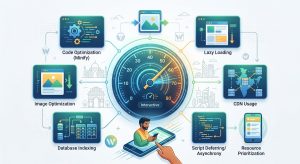
- Reduce page weight under 1MB. Every image must be in next-gen formats like WebP or AVIF. Lazy load everything below the fold. Do not load a single line of JavaScript that the user does not need immediately.
- Use a CDN with edge nodes in India. A CDN with points of presence in Mumbai, Delhi, and Chennai is good. One with nodes in Patna, Lucknow, and Hyderabad is better. The closer the data is to the user, the faster the load time.
- Serve cached versions of your pages. If your backend takes 800ms to generate a page, that is 800ms of battery and data that the user cannot afford. Use a reverse proxy or a static site generator where possible.
2. Language and Interface
English works for metro users. For tier 2 and tier 3, it is a barrier.
- Support at least Hindi, Marathi, Bengali, and Tamil. Do not just translate the words. Adapt the tone. A button that says “Buy Now” in English might work, but in Hindi, “Abhi Kharidein” feels more urgent and local.
- Allow mixed language input. Many users will type search queries in a mix of English and Hindi (Hinglish). Your search bar must handle “latest mobile phone” and “naya mobile phone” with equal accuracy.
- Use local imagery. If your app shows stock photos of a luxury apartment for a rental listing in a tier 2 city, users will immediately know the product is not for them. Use real photos or localised illustrations.
3. Payment and Trust
UPI is not optional. It is the default.
- Integrate UPI as the primary option. Credit cards and net banking should be secondary. If your checkout flow hides UPI behind a “More options” button, you are losing conversions.
- Show trust signals that matter locally. Displaying a “Verified by UPI” badge or a local customer support number builds more trust than a generic SSL padlock.
- Offer cash on delivery for high-value items. Even in 2026, many users in smaller cities prefer COD for their first purchase. Do not force them to pay upfront.
A Practical Process to Audit Your App Right Now
Here is a numbered list of steps you can run this week to identify gaps.
- Run a performance test from a tier 2 location. Use a tool that lets you simulate a connection from a city like Gwalior or Guntur. Check the load time on a 3G/4G mixed network. If your Time to First Byte (TTFB) is above 800ms, you have a problem.
- Audit your language support. Go through your five most important user flows (signup, search, product page, checkout, support). Can a user complete all five without reading a single word of English? If not, list the missing translations.
- Check your data usage per page. Load your homepage on a mobile device and measure the total data transferred. If it is above 2MB, compress images, remove unnecessary scripts, and inline critical CSS.
- Test UPI payment flow. Make a test payment using UPI. Count the number of clicks it takes from the cart to the payment confirmation. If it is more than three clicks, simplify the flow.
- Review your error messages. If your server returns a 500 error, does the user see a friendly message in their language? Or do they see a cryptic technical string? Localise every error page.
Common Mistakes That Kill Conversion in Smaller Cities
Avoid these pitfalls. They are surprisingly common among startups that expand from metros.
| Mistake | Why It Hurts | What to Do Instead |
|---|---|---|
| Heavy homepage with autoplay video | Eats data and slows load time | Use a static hero image with a play button |
| English-only customer support | Frustrates users who cannot articulate issues in English | Offer chat support in Hindi and regional languages |
| Requiring email for signup | Many users do not have an email; they use a phone number | Allow phone number and OTP login as the primary method |
| Using large font files | Adds 200-400KB to page weight | Use system fonts or subset your font files |
| Not caching product images | Every page load downloads fresh images | Use a CDN with long cache headers for static assets |
“The biggest mistake I see is companies treating tier 2 users as ‘metro users with less money’. They are not. They have different habits, different trust triggers, and different constraints. Build for their reality, not your assumption.” — Product lead at a top Indian edtech startup
How to Measure Success Beyond Page Speed
You need to track metrics that reflect real user satisfaction, not just server performance.
- Bounce rate from organic search. If users from tier 2 cities are bouncing, your content or load time is failing them.
- Conversion rate by language. Compare conversion rates for users who interact in Hindi versus English. If the Hindi rate is lower, your translation or UX is off.
- Support ticket volume by region. A spike in tickets from a specific tier 2 city often indicates a localisation bug or a payment issue.
- Repeat purchase rate. If users buy once but never return, your post-purchase experience (delivery updates, returns, support) might be broken in their language.
Making Your Stack Ready for India’s Data Localisation Laws
India’s upcoming data localisation requirements will affect how you store and serve user data. If your backend is entirely on servers outside India, you might face latency issues and compliance hurdles. Consider using edge computing or local cloud instances for serving content to tier 2 cities. This is not just about compliance. It is about performance. A server in Mumbai will always be faster for a user in Nashik than a server in Singapore.
For a deeper look at how edge computing can help, read our guide on why Indian startups are switching to edge computing for real-time web apps in 2026.
The Role of Progressive Web Apps
A Progressive Web App (PWA) is a strong fit for tier 2 markets. It works offline, loads quickly, and does not require a trip to the app store. Many users in smaller cities have limited storage on their phones. They are reluctant to install a heavy native app. A PWA solves this by offering app-like functionality without the download.
If you are considering this route, our step-by-step guide on how to build a progressive web app that works offline will give you a solid starting point.
What to Prioritise for Your 2026 Roadmap
Here is a bulleted list of priorities to help you decide where to invest your engineering hours.
- Optimise for low-end devices first. Do not build for the latest iPhone and then downgrade. Build for the common phone and then enhance.
- Localise your error messages and notifications. A server timeout is less frustrating if the user understands what happened.
- Use a content delivery network with Indian edge nodes. Do not rely on a single origin server.
- Make UPI the hero of your checkout. Test it on multiple UPI apps (Google Pay, PhonePe, Paytm) to ensure compatibility.
- Test your app on 3G networks. 5G is not universal in tier 3 cities. Simulate a 2Mbps connection and see if your app still works.
- Offer a lightweight version of your app. A text-only or image-compressed mode for users on slow connections can be a game changer.
Building for Bharat Is Building for the Future
The internet user base in India is shifting. By 2027, more than half of all new users will come from tier 2 and tier 3 cities. If your web application feels fast, speaks their language, and respects their data usage, you will earn their loyalty. If it feels like a foreign product, they will switch to a competitor who understands them better.
Start with the basics. Fix your load time. Add regional language support. Make UPI the default. Test on a cheap phone on a slow network. Once you have those fundamentals right, you can layer on advanced features like AI-powered chatbots or real-time dashboards.
For more practical advice on improving performance, check out our guide on how to optimize core web vitals for better rankings in 2026. And if you are wondering about the broader trends shaping the industry, our piece on top web development trends to boost your business in 2026 will help you stay ahead.
The users in Bharat are ready. They are searching, comparing, and buying. Make sure your web application is ready for them too.